Why Office Files Attached to Emails Are the Most Common Metadata Leak at Work
You hit send on that important client proposal. The Word doc looks clean. You checked the spelling. You made sure the formatting was sharp. But hidden inside that file is a digital trail of every person who touched it, the internal server paths where it lived, and comments you thought you deleted. This is why document metadata remover tools are becoming essential for modern professionals. It’s not just about what you see; it’s about what your computer remembers.
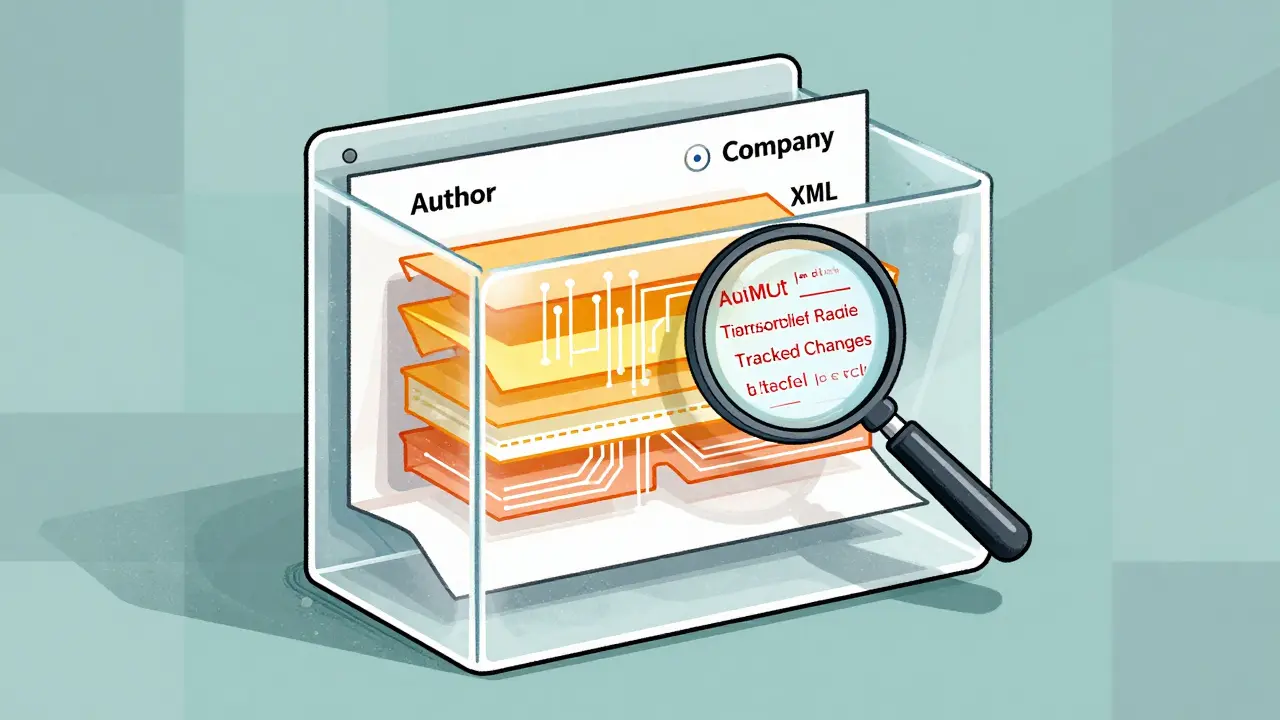
Metadata is data about data. In the context of Microsoft Office files-Word, Excel, PowerPoint-it includes author names, last-modified-by fields, company names, total editing time, and even hidden tracked changes. When you attach these files to emails, you aren't just sending content. You are sending a detailed history of how that content was created. For many organizations, this invisible layer of information is the most frequent source of accidental data leaks.
The Hidden Layer Inside Your Documents
To understand why this happens, you need to look under the hood. Modern Office files (.docx, .xlsx, .pptx) are actually ZIP archives containing XML code. They are not simple text files. Inside these archives, specific XML files store properties that define the document's identity. For example, docProps/core.xml holds the author name, title, and creation date. docProps/app.xml stores application-specific data like the total editing time and the template used. There is also docProps/custom.xml, which can hold custom properties added by add-ins or document management systems.
When you open a spreadsheet in Excel, you might only see the final numbers. But if someone hid a row with salary data or left a comment debating a discount rate, that data remains in the file structure. Even if you delete visible text, the underlying XML often retains the record of that change unless you explicitly remove it. This architecture makes Office files incredibly rich for collaboration but dangerous for external sharing.
| Metadata Field | What It Reveals | Risk Level |
|---|---|---|
| Author / Last Modified By | Identity of staff members involved | High |
| Company / Organization | Your employer’s legal name | Medium |
| Tracked Changes | Internal negotiations and edits | Critical |
| Hidden Rows/Columns | Financial data or PII not meant for view | Critical |
| File Path | Internal network structure and user folders | High |
Why Email Attachments Are the Weak Link
Email remains the dominant channel for external communication. While internal teams might use SharePoint or Teams, clients, regulators, and partners still expect attachments. Statista estimates billions of emails are sent daily worldwide, making this vector ubiquitous. The problem is that standard email security gateways focus on malware and phishing. They rarely inspect the deep XML structure of an attached DOCX file to strip out personal identifiers.
Users operate under a false sense of security. If you hide a comment in Word by clicking "Hide," it disappears from your screen. However, the comment data is still present in the file. When you attach that file to an email, the recipient can easily unhide those comments or use a tool to extract them. This gap between visual appearance and actual file content is where most leaks occur.
Consider a consultant switching jobs. They draft a proposal for a new client using a template from their previous employer. Even if they rewrite all the visible text, the "Company" property in the metadata might still say "Old Corp." Or worse, the "Last Modified By" field reveals the name of a former colleague who helped review the draft. These details can breach confidentiality agreements or reveal sensitive organizational structures.
The Limitations of Built-in Tools
Microsoft Office includes a feature called Document Inspector. It allows users to scan files for hidden data and remove it. While effective, it has significant limitations. First, it requires a licensed installation of Microsoft Office. If you are working on a Mac, Linux, or ChromeOS device, you might not have access to this feature. Second, it is a manual step. Users must remember to run it before every external send. Under pressure, this step is often skipped.
Furthermore, Document Inspector does not always catch everything. Custom properties added by third-party add-ins or complex embedded objects might slip through. For organizations that rely on cross-platform workflows, relying solely on built-in Windows-centric tools creates a blind spot. You need a solution that works regardless of your operating system or software suite.
A Better Way: Client-Side Cleaning
This is where dedicated cleaning tools come into play. Instead of relying on manual checks or heavy enterprise software, you can use browser-based utilities that process files locally. One such option is Vaulternal's document metadata remover. Unlike online converters that upload your file to a remote server, this tool runs entirely in your browser using WebAssembly. Your file never leaves your device. This is crucial for handling confidential drafts, legal documents, or financial models where privacy is paramount.
These tools offer a dual mode: inspection and removal. Before you strip anything, you can view exactly what metadata is present. You might find that a seemingly blank slide deck contains speaker notes with internal strategy discussions. Once identified, you can choose to wipe the core properties, application properties, and custom properties. Some tools also allow you to export a JSON log of removed fields, providing an audit trail for compliance purposes.
For users on LibreOffice or other OpenDocument formats (ODT, ODS, ODP), the same principle applies. The metadata lives in meta.xml within the ZIP archive. A good cleaner handles both Office Open XML and OpenDocument standards, ensuring consistency across different file types without needing multiple applications.
Best Practices for Preventing Leaks
Technology alone isn't enough. You need a workflow that prioritizes metadata hygiene. Here are practical steps to integrate into your daily routine:
- Inspect before sending: Make it a habit to check the properties of any file destined for external eyes. Look for author names, company tags, and revision counts.
- Use local cleaners: Utilize tools that process files on your machine. Avoid uploading sensitive documents to unknown online services. Verify that the tool does not transmit data by checking your browser's network tab.
- Accept all changes: In Word and Excel, accepting all tracked changes removes the edit history from the visible layer, but it doesn't always clear the metadata. Combine this with a metadata scrubber.
- Export to PDF carefully: Converting to PDF can reduce some metadata risks, but PDFs also carry author and creation dates. Always scrub the PDF as well if it contains sensitive info.
- Train your team: Awareness is key. Many employees don't know that hidden cells in Excel or comments in PowerPoint are shareable. Regular training on metadata risks can prevent costly breaches.
The Future of Document Privacy
As remote work and cross-platform collaboration grow, the diversity of devices and software increases. Employees edit documents on phones, tablets, and web browsers. This fragmentation makes centralized control harder. Relying on IT departments to police every outgoing email is unsustainable. Empowering users with easy-to-use, private cleaning tools is the most effective defense.
Regulatory frameworks like GDPR treat metadata that identifies individuals as personal data. Leaking an author's name or email address via a document property can trigger breach notification duties. Understanding that metadata is not just technical clutter but potential liability is the first step toward better security. By taking control of what goes into your files, you protect your organization's reputation and your colleagues' privacy.
What is metadata in an Office file?
Metadata is hidden data stored within a file that describes its properties. In Office files, this includes author names, creation dates, editing time, comments, tracked changes, and internal file paths. It exists in the XML structure of the document, not in the visible content.
Why are email attachments a common source of metadata leaks?
Email is the primary channel for external communication. Security gateways often scan for viruses but do not strip deep document metadata. Users assume that hiding comments or deleting text removes the data, but it often remains in the file structure until explicitly scrubbed.
Does converting to PDF remove all metadata?
No. PDFs can still contain author names, creation dates, and sometimes hidden layers. While converting reduces some risks associated with editable fields, you should still use a metadata scrubber on the PDF before sharing sensitive information externally.
Is it safe to use online metadata removers?
It depends on the tool. Online services that upload your file to a server pose a privacy risk. Browser-based tools that process files locally using WebAssembly are safer because the file never leaves your device. Always verify the tool's privacy policy and network behavior.
How can I check metadata on a Mac or Linux?
You can use browser-based metadata viewers or cleaners that support cross-platform operation. Since Microsoft Office's Document Inspector is limited on non-Windows systems, third-party tools that handle OOXML and ODF formats directly in the browser are ideal alternatives.